Define profiles
Separate students, teachers, administration, departments or special groups.
Control print spending with pricing rules, quotas, shared accounts and limits adapted to the center.
PryntControl turns printer, copy and color usage into clear rules. The center can define how much printing costs, who can consume, which limit each user has and which account each job should be charged to.
Education environments combine very different profiles: teachers, students, administration, departments, classrooms and projects. PryntControl cost management helps organize that consumption without relying on manual controls.
Different profiles can have different prices, quotas and usage rules.
Color pages can have specific prices and limits.
Departments and projects can manage their own shared accounts.
Limit usage by available amount or by copy count.
Configure prices, balances, limits and accounts so every use is linked to a rule and an owner.
Define different costs by user type and print type.
You can create different pricing rules for teachers, students or other groups. Each rule can define the cost of each black and white or color page, simplex or duplex, so PryntControl calculates usage consistently.
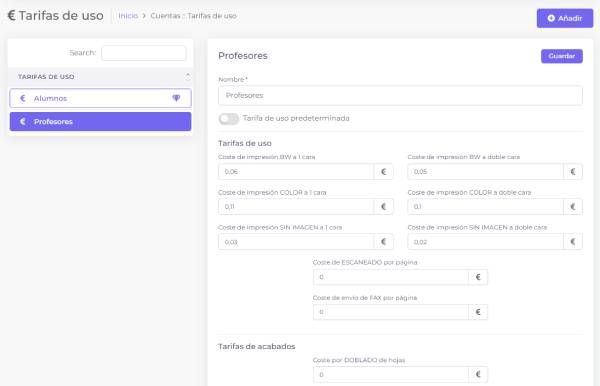
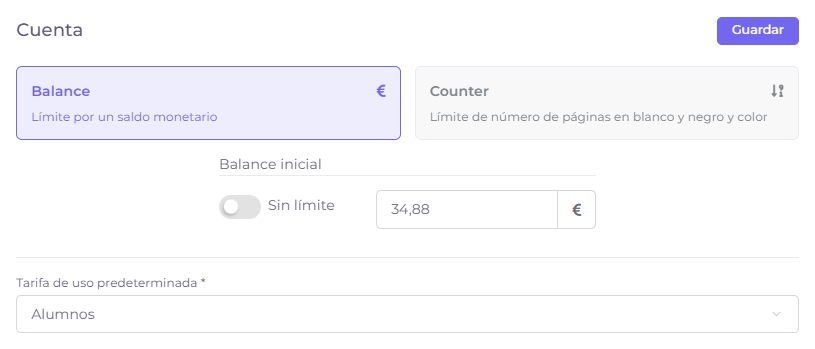
Set usage limits for each user or group.
Quotas let you decide how much a user can print or copy during a period. They are useful to prevent excessive usage, distribute resources fairly and adapt rules to courses, departments or profiles.
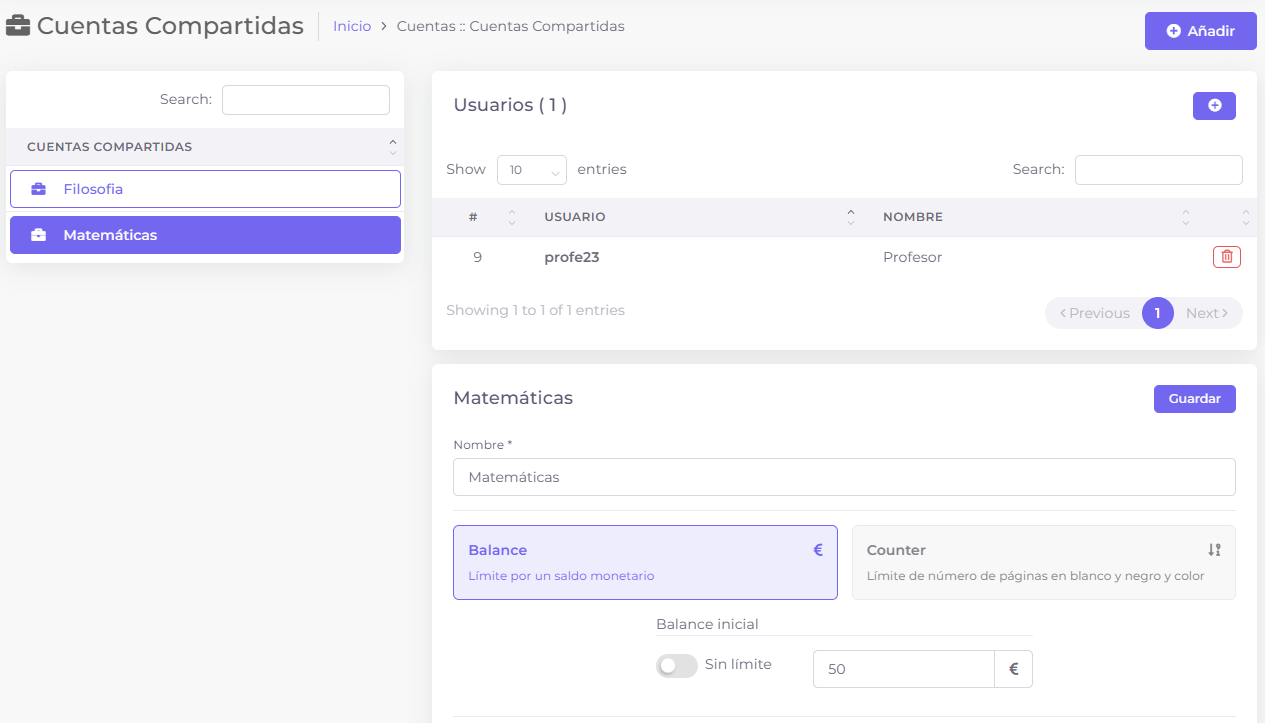
Create accounts for projects or departments used by several users.
Shared accounts let users charge jobs to a common unit, such as a project, department, library, administration office or classroom. Each account can have its own quotas, permissions and usage rules.
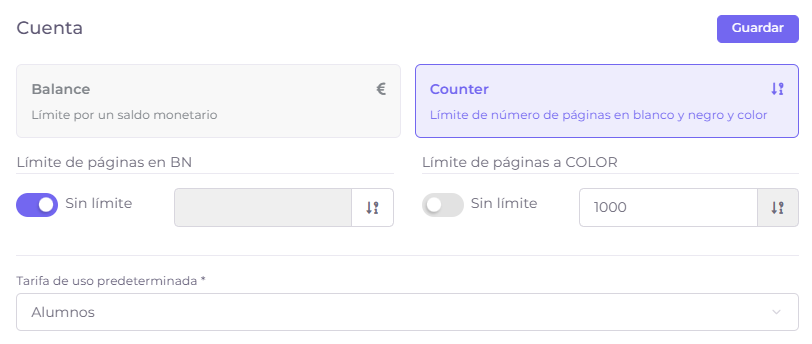
Control usage by monetary balance or number of pages.
A user limit can be defined as monetary balance or as maximum copy volume. It is also possible to set separate limits for black and white or color, giving the center better control over higher-cost usage.
Separate students, teachers, administration, departments or special groups.
Assign costs for black and white, color, simplex or duplex according to pricing.
Set balances, available copies or limits by user, group or account.
Reports show consumption and equivalent cost to review the model.
We can review user profiles, pricing, limits and chargeback rules in a demo.